

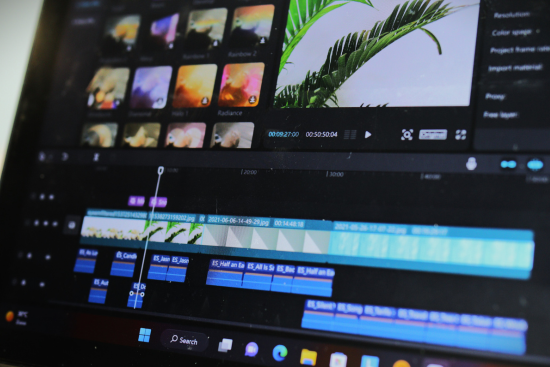
AI video generators are transforming how creators, marketing teams, and video professionals produce content. From turning simple text prompts into engaging video clips to creating product advertisements and social media campaigns, AI-powered tools are making video production faster and more accessible.
However, with so many platforms available, choosing the right tool can be challenging. Some AI video generators focus on cinematic visuals, while others offer complete production workflows, AI avatars, templates, or advanced creative controls.
In this guide, we explore 7 of the best AI video generators in 2026, including their key features, advantages, limitations, and practical use cases.
Whether you’re a content creator, business owner, marketer, or professional filmmaker, this list will help you identify tools that fit your specific needs.
What to Consider When Choosing an AI Video Generator
Before investing in an AI video-generation platform, it’s important to understand which features matter most for your workflow.
Here are some essential factors to consider:
- Video quality: Does the tool produce realistic, detailed, and visually appealing footage?
- Ease of use: Can you create videos without advanced technical or editing skills?
- AI model selection: Does the platform offer access to different video-generation models?
- Generation speed: How quickly can you create and revise video clips?
- Templates and creative tools: Are there ready-made templates or workflows for your projects?
- Pricing: Does the platform offer a free plan or affordable subscription options?
- Commercial usage: Are the licensing terms suitable for your business or client work?
- Device compatibility: Can you use the tool comfortably on desktop and mobile devices?
- API access: Can you integrate video generation into an existing business workflow?
The ideal platform depends on your goals, budget, and the type of videos you want to create.
7 Best AI Video Generators in 2026
- Magic Hour — Best All-in-One AI Video Generator
Best for: Creators, marketing teams, businesses, and video professionals seeking a flexible AI video-production workflow.
Magic Hour is an AI-powered creative platform that brings multiple video-generation tools into one accessible environment. Instead of relying on several separate services, users can explore different AI video workflows from a single platform.
Its AI video generator is designed to help users turn ideas and visual inputs into AI-generated video content.
One of Magic Hour’s key advantages is its focus on flexibility. The platform provides access to leading AI models, allowing creators to explore different generation capabilities and visual styles.
It also offers features designed to make content production more efficient, including templates, fast video variations, and parallel generations.
For creators who need to experiment with multiple concepts, these features can help simplify the process of developing social media content, promotional videos, and visual assets.
Magic Hour is also designed for accessibility, with desktop and mobile usability. Its API aims to provide parity with the platform’s core capabilities, making it relevant to businesses and developers looking to integrate AI video generation into their own workflows.
Another useful feature is the availability of a no-signup trial, which allows users to explore the platform before committing to an account. Magic Hour also offers non-expiring credits under its applicable terms, giving users flexibility in how they use their purchased credits.
Key Features
- All-in-one AI video workflow
- Access to leading AI video models
- Text-to-video and image-to-video capabilities, depending on the selected model
- Templates for different creative projects
- Fast video variations
- Parallel video generations
- Desktop and mobile usability
- API access with core workflow parity
- No-signup trial options
- Non-expiring credits under applicable terms
Pricing
Magic Hour offers the following pricing plans:
| Plan | Price |
| Free | $0 |
| Creator | $19/month |
| Creator — Annual billing | $12/month |
| Pro | $39/month |
Features, credit allowances, and model access may vary depending on the plan.
Pros
- Brings multiple AI video tools into one platform
- Offers a free option for experimentation
- Provides access to different AI models
- Supports rapid creative iteration
- Includes options for both casual and professional workflows
- Offers API access for programmatic use
Cons
- Video quality can vary depending on the selected model
- Advanced features may require paid credits
- Complex projects may still require traditional editing software
- Users may need several attempts to achieve the desired result
Practical Use Case
A marketing team launching a new product could use Magic Hour to create several versions of a promotional video. The team might experiment with different visual styles, generate multiple variations, and select the clips that best fit its campaign.
Why consider Magic Hour?
Magic Hour is a practical choice for users who want to explore different AI video-generation capabilities without building their workflow around multiple separate platforms.
- Runway — Best for Creative Video Production
Best for: Filmmakers, visual artists, and creative professionals.
Runway is an AI video platform known for its generative video and creative editing capabilities. It has become a popular option among filmmakers, designers, and artists who want to incorporate AI into their production processes.
The platform allows users to explore text-to-video and image-to-video workflows, depending on the available model and product features.
Runway can be useful for developing visual concepts, creating experimental footage, and producing material for larger video projects.
Key Features
- AI video generation
- Text-to-video and image-to-video workflows
- Creative video editing tools
- Visual transformation features
- Tools for concept development
Pros
- Useful for creative professionals
- Supports visual experimentation
- Offers a range of AI-powered creative tools
- Can complement traditional video-production workflows
Cons
- Advanced features may require a paid plan
- Some generations may need multiple attempts
- Beginners may need time to learn the platform
Practical Use Case
A filmmaker could use Runway to create concept footage for a short film, experiment with cinematic scenes, or develop visual references before starting a production.
- Kling AI — Best for AI-Generated Motion and Visual Scenes
Best for: Creators who want to experiment with realistic movement and imaginative video sequences.
Kling AI is a generative video platform that allows users to create video from text prompts and images.
It is particularly relevant to creators interested in producing short visual scenes, animating still images, and exploring AI-generated storytelling.
The platform can be useful for digital artists, content creators, and marketers who want to develop engaging visual material.
Key Features
- Text-to-video generation
- Image-to-video capabilities
- AI-generated motion
- Creative scene generation
- Tools for short-form video production
Pros
- Useful for creative experimentation
- Supports image-based video workflows
- Suitable for short visual concepts
- Can help bring static artwork to life
Cons
- Results vary depending on the prompt and input
- Complex scenes may require several attempts
- Access to certain features may depend on the subscription plan
Practical Use Case
A digital artist could use Kling AI to animate an illustration or create a short visual sequence for a social media campaign.
- Google Veo — Best for Advanced Generative Video Experiments
Best for: Creators and production teams exploring advanced AI video models.
Google Veo is a family of generative video models developed by Google. Depending on the product and access method, Veo models can generate video from text prompts and other inputs.
Veo is relevant to creators who want to experiment with detailed visual concepts and AI-assisted video production.
Availability may vary depending on the Google product, region, and subscription or service requirements.
Key Features
- Text-based video generation
- Advanced generative video capabilities
- Support for creative visual concepts
- Access through selected Google AI products and services
Pros
- Developed by Google’s AI research and product teams
- Useful for exploring generative video concepts
- Relevant to creative and experimental workflows
Cons
- Availability varies by product and region
- Access and pricing depend on the specific service
- Results may require careful prompt development
Practical Use Case
A creative agency could use a Veo-powered tool to develop visual concepts for an advertising campaign or create early-stage storyboards for a video project.
- Pika — Best for Social Media Creators
Best for: Influencers, social media managers, and creators producing short-form content.
Pika is an AI video platform focused on creative video generation and visual effects.
It allows users to experiment with AI-generated clips and image-to-video workflows, making it useful for creators who want to produce entertaining and visually engaging content.
Pika is particularly relevant to social media users who need fresh ideas for short videos.
Key Features
- AI video generation
- Image-to-video tools
- Creative video effects
- Short-form video creation
- AI-powered visual experimentation
Pros
- Suitable for social media content
- Accessible to creators experimenting with AI
- Useful for creative visual effects
- Can help turn still images into short clips
Cons
- Some features may require a paid plan
- Results can vary depending on the input
- Complex projects may require additional editing tools
Practical Use Case
A small business could use Pika to transform a product image into a short animated clip for an Instagram or TikTok campaign.
- Synthesia — Best for AI Presenter Videos
Best for: Businesses, educators, and corporate communication teams.
Synthesia focuses on AI-generated presenter videos featuring digital avatars and synthetic narration.
Unlike platforms that primarily generate cinematic scenes, Synthesia is designed to help organizations create instructional, educational, and business-focused videos.
It can be especially useful for companies that regularly produce training materials, internal communications, or product explainers.
Key Features
- AI-generated avatars
- Text-to-speech narration
- Presenter-based video creation
- Business video-production workflows
- Tools for training and educational content
Pros
- Useful for corporate communication
- Can reduce the need for traditional presenter recordings
- Suitable for training and instructional videos
- Helps standardize certain business video workflows
Cons
- Less focused on cinematic storytelling
- Subscription costs may not suit every small business
- Avatar-based videos may not be appropriate for every brand
Practical Use Case
A company could use Synthesia to create employee onboarding videos or product tutorials featuring an AI presenter.
- InVideo AI — Best for Marketing Video Creation
Best for: Small businesses, marketers, and creators who want to turn written ideas into structured videos.
InVideo AI is designed to help users create videos from text prompts and content instructions.
Its workflow-oriented approach can be useful for developing marketing videos, explainers, social media content, and promotional material.
The platform combines AI-assisted content creation with video-production tools intended to simplify the process of moving from an idea to a finished draft.
Key Features
- Prompt-based video creation
- AI-assisted scripting
- Video templates
- Media and editing tools
- Marketing-oriented video workflows
Pros
- Useful for structured video projects
- Suitable for marketers and small businesses
- Can simplify parts of the production process
- Helpful for creating initial video drafts
Cons
- Generated content may require editing
- Results depend on the quality of the instructions
- Some features may require a paid subscription
Practical Use Case
A small business owner could use InVideo AI to create a draft promotional video for a new service and then refine the script, visuals, and branding before publishing.
How to Choose the Right AI Video Generator
Each AI video generator serves a slightly different purpose. Your choice should depend on the type of content you create, the level of control you need, and your budget.
| AI Video Generator | Suitable For |
| Magic Hour | All-in-one AI video workflows and creative experimentation |
| Runway | Filmmaking and visual storytelling |
| Kling AI | AI-generated motion and creative scenes |
| Google Veo | Advanced generative video experimentation |
| Pika | Social media videos and creative effects |
| Synthesia | Business presentations and AI avatar videos |
| InVideo AI | Marketing videos and structured content creation |
If you want to explore several AI video tools in one place, Magic Hour is worth considering.
If cinematic experimentation is your main priority, Runway or Kling AI may be relevant to your workflow.
For business training and presenter-led content, Synthesia offers a different approach.
Meanwhile, InVideo AI can be useful for marketers who want help turning written ideas into structured video projects.
Before subscribing, review each platform’s current pricing, feature availability, commercial-use terms, and credit limitations.
Final Thoughts
AI video generators are becoming valuable tools for creators, marketers, and professional video teams. They can help with brainstorming, prototyping, content creation, and producing visual variations.
Magic Hour offers an all-in-one approach for users who want to explore multiple AI video capabilities through a single platform. Its free option, model access, templates, parallel generations, and flexible workflow make it a useful platform to explore for different types of video projects.
However, no single tool is perfect for every situation. The right choice depends on your production goals, budget, desired video quality, and level of creative control.
Before making a decision, try the platforms that match your needs and assess how well they fit your workflow.
With the right AI video generator, creators and businesses can spend less time on repetitive production tasks and more time developing compelling ideas.